BytePlus models and media

Procure ModelArk models and media services through our direct BytePlus reseller relationship, with the model, account scope and billing agreed before delivery.

ModelArk

Choose by production task

ModelArk provides provider-native model APIs. Start with what you need to produce, then confirm the exact version and commercial terms.

Create and precisely edit images

Use reference images, localized instructions and layer decomposition for product visuals, campaign assets and design production.

Official model guide
Reference imagesOfficial Seedream editing guide reference pair: a dog photo and a peacock poster
Edited outputOfficial Seedream editing guide output example: the dog incorporated into the poster
Official Seedream editing example: reference materials and output from the BytePlus guide; illustrative, not a Corebyte customer project.
Input
Text and reference images
Output
Image files; layer outputs where supported
Specify before purchase
  • Exact model version and reference-image limits
  • Resolution, output format and commercial usage
  • Per-image or applicable usage billing

Delivery checks

Confirm the model identifier, API access and metering. Batch capabilities differ by version.

Control references and video edits

Combine image, video and audio references for video generation, editing and extension across short films, advertising and product storytelling.

Official model guide
Cookie product reference image used in the official Seedance 2.5 video-generation API example
Reference images

Text, image, video and audio references

Output

Video tasks with audio or silent output

Official Seedance 2.5 API reference image. The image is an input material, not a generated video preview.
Input
Text, image, video and audio references
Output
Video tasks with audio or silent output
Specify before purchase
  • Reference types and requested video duration
  • 480p, 720p or 1080p output as supported
  • Task concurrency, quotas and usage terms

Delivery checks

Retain the task ID, query its result and reconcile usage. Capability and activation depend on the selected model and account.

Connect models to application tasks

Support text and code generation, multimodal understanding and custom function calling in your own business application.

Official model guide
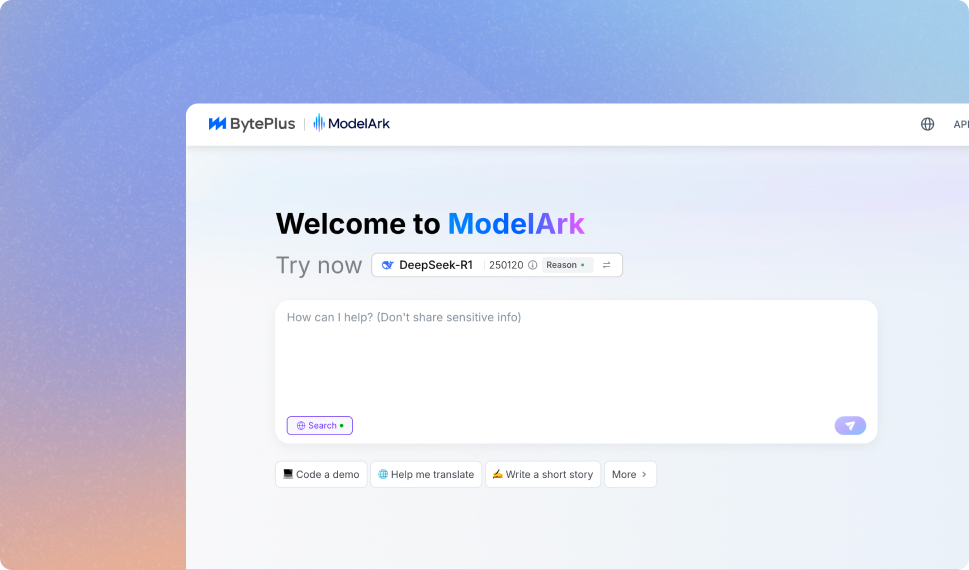
Official BytePlus ModelArk console product illustration, with the model playground and conversation area
Official BytePlus ModelArk interface illustration. The screen is a product reference, not a current model catalog or Corebyte console.
Input
Text, supported visual inputs and tool definitions
Output
Text, structured results and function calls
Specify before purchase
  • Model version and context requirements
  • Application tool scope and access permissions
  • Token usage, throughput and account quota

Delivery checks

Agree the API endpoint, model ID and call records. Platform built-in tools are not assumed to be available.

This selector explains resource choices. It does not submit model requests or represent a live ModelArk account.

Browse the AI model catalog

Beyond model generation

Plan how people interact, how live content is processed, and how finished assets reach your users. Each service has its own delivery and billing units.

What we specify for delivery

The purchase plan identifies the original provider service, account or project, model version, activated functions, quota and billing units. Corebyte supports resource procurement and connection; content rights, creative approval and final production remain with your team.

  • Provider-native account and resource scope
  • Model ID, version and activation conditions
  • Usage records and itemized charges
  • Integration and support responsibilities

The contracting entity, authorized product scope and availability are confirmed for your project.

Discuss the resource plan

Procurement & handover

Plan usage before scaling production.

01RequirementsDescribe the workload

Provide the purchasing entity, countries of actual use, target models and versions, service region or endpoint and processing scope, sample tasks, output requirements, expected volumes and launch dates.

02ValidationPilot and reconcile charges

Confirm account activation and quota, then test representative tasks. Separate applicable token, image, video or other resource units from integration and support fees.

03HandoverHand over an operable integration

Record model IDs, endpoints, permissions, task handling, retry limits and metering. Specify support coverage and provider dependencies; model resources do not constitute a finished-film delivery service.

Full purchasing requirements

BytePlus international ModelArk for text, image and video.

Plan access through BytePlus international ModelArk, with the selected models, versions and usage visible.

Text and multimodal models

Check the exact model, version, service region or endpoint, processing scope, account eligibility and quota for the intended use. Scope integration, credentials and usage attribution around the agreed model.

Seedance video generation

Assess the supported inputs, output specifications and task workflow for the selected version. Confirm queueing, limits, content requirements and billing units before planning production volumes.

Seedream image generation

Evaluate image-generation or editing capabilities supported by the chosen version. Confirm reference inputs, output requirements, content rights and how image usage is metered.

From generation to the rest of the product experience.

Combine AI access with the surrounding application services where they fit the business.

Recommend

Evaluate recommendation services for relevant product-discovery or content experiences. Define available event data, integration scope and an agreed evaluation method.

Media delivery requirements

Assess the applicable BytePlus media and cloud products for storage, processing or delivery needs. Confirm actual product availability, regions and charges for the target account.

Workflow and content ownership

Separate model access from creative direction, editing and publication. Agree who supplies source material, reviews generated content and secures the necessary rights.

Plan usage before scaling production.

Make model, delivery and cost assumptions explicit in the proposal.

Describe the workload

Provide the purchasing entity, countries of actual use, target models and versions, service region or endpoint and processing scope, sample tasks, output requirements, expected volumes and launch dates.

Pilot and reconcile charges

Confirm account activation and quota, then test representative tasks. Separate applicable token, image, video or other resource units from integration and support fees.

Hand over an operable integration

Record model IDs, endpoints, permissions, task handling, retry limits and metering. Specify support coverage and provider dependencies; model resources do not constitute a finished-film delivery service.

Account & responsibilities

BytePlus Reseller — company-supplied information

Company-supplied information identifies BYTEBAY GLOBAL LIMITED as a BytePlus Reseller. Confirm applicable qualification material and product scope during procurement.

Confirm the selected models, usage countries, account eligibility, permitted use and commercial arrangement for the order.

Company and credential information ↗
More about this service

Discuss BytePlus model services and related cloud products. Specify the required model, version, usage and delivery region for a scoped proposal.

Products and resources

BytePlus — model services and related cloud products. These are examples of procurement options. Specific products, regions and delivery methods are confirmed in your proposal.

Model services through your chosen cloud

Browse the model catalogue for available channels. The exact model, version, region and delivery arrangement are confirmed in your proposal.

Prepare your procurement requirements

Tell us the products, region, expected usage and any existing cloud accounts. We confirm the resource scope, account arrangement and billing details before delivery.

Company and channel information

Review our operating companies and published channel credentials. The qualified entity responsible for contracting and delivery is identified in the agreement.

Confirm the selected models, usage countries, account eligibility, permitted use and commercial arrangement for the order.

Start with the resources you need.

A product list, preferred region and estimated usage are enough to begin a conversation.

Discuss your requirements